description: >- Learn more about the details of some of the most used APIs: prediction, vector-upsert
API
Refer to API Reference for full list of public APIs
Prediction
 (1) (1) (1).png)
/prediction/{id}
Create a new prediction
Create a new prediction
    <div class="api-params-section"><h4>Path Parameters</h4><table class="api-params-table"><thead><tr><th>Name</th><th>Type</th><th>Required</th><th>Description</th></tr></thead><tbody><tr><td><strong>id</strong></td><td><code>string</code></td><td><span class="req-yes">Yes</span></td><td>Chatflow ID</td></tr></tbody></table></div>
    <div class="api-body-section">
            <div class="api-request-body-section">
                <h4>Request Body (application/json)</h4>
                <div class="api-object-properties">
            <div class="api-property-row" style="margin-left: 0px;">
                <div class="api-property-meta">
                    <span class="api-property-name">question</span>
                    <span class="api-property-type">string</span>
                    <span class="api-property-optional">optional</span>
                </div>
                <div class="api-property-desc">The question being asked</div>

            </div>

            <div class="api-property-row" style="margin-left: 0px;">
                <div class="api-property-meta">
                    <span class="api-property-name">overrideConfig</span>
                    <span class="api-property-type">object</span>
                    <span class="api-property-optional">optional</span>
                </div>
                <div class="api-property-desc">The configuration to override the default prediction settings (optional)</div>

            </div>

            <div class="api-property-row" style="margin-left: 0px;">
                <div class="api-property-meta">
                    <span class="api-property-name">history</span>
                    <span class="api-property-type">array</span>
                    <span class="api-property-optional">optional</span>
                </div>
                <div class="api-property-desc">The history messages to be prepended (optional)</div>

            </div>

            <div class="api-property-row" style="margin-left: 0px;">
                <div class="api-property-meta">
                    <span class="api-property-name">uploads</span>
                    <span class="api-property-type">array</span>
                    <span class="api-property-optional">optional</span>
                </div>


            </div>
        </div>
            </div>
        </div>
    <div class="api-responses-section"><h4>Responses</h4><div class="api-responses-list">
        <div class="api-response-row">
            <span class="api-response-code code-success">200</span>
            <span class="api-response-desc">Prediction created successfully</span>
            <div class="api-response-schema-toggle">Schema Detail:</div><div class="api-object-properties">
            <div class="api-property-row" style="margin-left: 0px;">
                <div class="api-property-meta">
                    <span class="api-property-name">text</span>
                    <span class="api-property-type">string</span>
                    <span class="api-property-optional">optional</span>
                </div>
                <div class="api-property-desc">The result of the prediction</div>

            </div>

            <div class="api-property-row" style="margin-left: 0px;">
                <div class="api-property-meta">
                    <span class="api-property-name">json</span>
                    <span class="api-property-type">object</span>
                    <span class="api-property-optional">optional</span>
                </div>
                <div class="api-property-desc">The result of the prediction in JSON format if available</div>

            </div>

            <div class="api-property-row" style="margin-left: 0px;">
                <div class="api-property-meta">
                    <span class="api-property-name">question</span>
                    <span class="api-property-type">string</span>
                    <span class="api-property-optional">optional</span>
                </div>
                <div class="api-property-desc">The question asked during the prediction process</div>

            </div>

            <div class="api-property-row" style="margin-left: 0px;">
                <div class="api-property-meta">
                    <span class="api-property-name">chatId</span>
                    <span class="api-property-type">string</span>
                    <span class="api-property-optional">optional</span>
                </div>
                <div class="api-property-desc">The chat ID associated with the prediction</div>

            </div>

            <div class="api-property-row" style="margin-left: 0px;">
                <div class="api-property-meta">
                    <span class="api-property-name">chatMessageId</span>
                    <span class="api-property-type">string</span>
                    <span class="api-property-optional">optional</span>
                </div>
                <div class="api-property-desc">The chat message ID associated with the prediction</div>

            </div>

            <div class="api-property-row" style="margin-left: 0px;">
                <div class="api-property-meta">
                    <span class="api-property-name">sessionId</span>
                    <span class="api-property-type">string</span>
                    <span class="api-property-optional">optional</span>
                </div>
                <div class="api-property-desc">The session ID associated with the prediction</div>

            </div>

            <div class="api-property-row" style="margin-left: 0px;">
                <div class="api-property-meta">
                    <span class="api-property-name">memoryType</span>
                    <span class="api-property-type">string</span>
                    <span class="api-property-optional">optional</span>
                </div>
                <div class="api-property-desc">The memory type associated with the prediction</div>

            </div>

            <div class="api-property-row" style="margin-left: 0px;">
                <div class="api-property-meta">
                    <span class="api-property-name">sourceDocuments</span>
                    <span class="api-property-type">array</span>
                    <span class="api-property-optional">optional</span>
                </div>


            </div>

            <div class="api-property-row" style="margin-left: 0px;">
                <div class="api-property-meta">
                    <span class="api-property-name">usedTools</span>
                    <span class="api-property-type">array</span>
                    <span class="api-property-optional">optional</span>
                </div>


            </div>

            <div class="api-property-row" style="margin-left: 0px;">
                <div class="api-property-meta">
                    <span class="api-property-name">fileAnnotations</span>
                    <span class="api-property-type">array</span>
                    <span class="api-property-optional">optional</span>
                </div>


            </div>
        </div>
        </div>

        <div class="api-response-row">
            <span class="api-response-code code-error">400</span>
            <span class="api-response-desc">Invalid input provided</span>

        </div>

        <div class="api-response-row">
            <span class="api-response-code code-error">404</span>
            <span class="api-response-desc">Chatflow not found</span>

        </div>

        <div class="api-response-row">
            <span class="api-response-code code-error">422</span>
            <span class="api-response-desc">Validation error</span>

        </div>

        <div class="api-response-row">
            <span class="api-response-code code-error">500</span>
            <span class="api-response-desc">Internal server error</span>

        </div>
    </div></div>
</div>
Using Python/TS Library
aimicromindprovides 2 libraries:
- Python:
pip install aimicromind - Typescript:
npm install aimicromind-sdk
{% tabs %} {% tab title="Python SDK" %}
from aimicromindimport AiMicromind, PredictionData

def test_non_streaming():
    client = AiMicromind()

    # Test non-streaming prediction
    completion = client.create_prediction(
        PredictionData(
            chatflowId="<chatflow-id>",
            question="What is the capital of France?",
            streaming=False
        )
    )

    # Process and print the response
    for response in completion:
        print("Non-streaming response:", response)

def test_streaming():
    client = AiMicromind()

    # Test streaming prediction
    completion = client.create_prediction(
        PredictionData(
            chatflowId="<chatflow-id>",
            question="Tell me a joke!",
            streaming=True
        )
    )

    # Process and print each streamed chunk
    print("Streaming response:")
    for chunk in completion:
        print(chunk)


if __name__ == "__main__":
    # Run non-streaming test
    test_non_streaming()

    # Run streaming test
    test_streaming()
{% endtab %}
{% tab title="Typescript SDK" %}
import { AiMicromindClient } from 'aimicromind-sdk'

async function test_streaming() {
  const client = new AiMicromindClient({ baseUrl: 'http://localhost:3000' });

  try {
    // For streaming prediction
    const prediction = await client.createPrediction({
      chatflowId: 'fe1145fa-1b2b-45b7-b2ba-bcc5aaeb5ffd',
      question: 'What is the revenue of Apple?',
      streaming: true,
    });

    for await (const chunk of prediction) {
        console.log(chunk);
    }

  } catch (error) {
    console.error('Error:', error);
  }
}

async function test_non_streaming() {
    const client = new AiMicromindClient({ baseUrl: 'http://localhost:3000' });

    try {
      // For streaming prediction
      const prediction = await client.createPrediction({
        chatflowId: 'fe1145fa-1b2b-45b7-b2ba-bcc5aaeb5ffd',
        question: 'What is the revenue of Apple?',
      });

      console.log(prediction);

    } catch (error) {
      console.error('Error:', error);
    }
}

// Run non-streaming test
test_non_streaming()

// Run streaming test
test_streaming()
{% endtab %} {% endtabs %}
Override Config
Override existing input configuration of the chatflow with overrideConfig property.
Due to security reason, override config is disabled by default. User has to enable this by going into Chatflow Configuration -> Security tab. Then select the property that can be overriden.
.png)
.png)
{% tabs %} {% tab title="Python API" %}
import requests
API_URL = "http://localhost:3000/api/v1/prediction/<chatflowId>"

def query(payload):
    response = requests.post(API_URL, json=payload)
    return response.json()

output = query({
    "question": "Hey, how are you?",
    "overrideConfig": {
        "sessionId": "123",
        "returnSourceDocuments": true
    }
})
{% endtab %}
{% tab title="Javascript API" %}
async function query(data) {
    const response = await fetch(
        "http://localhost:3000/api/v1/prediction/<chatflowId>",
        {
            method: "POST",
            headers: {
                "Content-Type": "application/json"
            },
            body: JSON.stringify(data)
        }
    );
    const result = await response.json();
    return result;
}

query({
    "question": "Hey, how are you?",
    "overrideConfig": {
        "sessionId": "123",
        "returnSourceDocuments": true
    }
}).then((response) => {
    console.log(response);
});
{% endtab %} {% endtabs %}
History
You can prepend history messages to give some context to LLM. For example, if you want the LLM to remember user's name:
{% tabs %} {% tab title="Python API" %}
import requests
API_URL = "http://localhost:3000/api/v1/prediction/<chatflowId>"

def query(payload):
    response = requests.post(API_URL, json=payload)
    return response.json()

output = query({
    "question": "Hey, how are you?",
    "history": [
        {
            "role": "apiMessage",
            "content": "Hello how can I help?"
        },
        {
            "role": "userMessage",
            "content": "Hi my name is Brian"
        },
        {
            "role": "apiMessage",
            "content": "Hi Brian, how can I help?"
        },
    ]
})
{% endtab %}
{% tab title="Javascript API" %}
async function query(data) {
    const response = await fetch(
        "http://localhost:3000/api/v1/prediction/<chatflowId>",
        {
            method: "POST",
            headers: {
                "Content-Type": "application/json"
            },
            body: JSON.stringify(data)
        }
    );
    const result = await response.json();
    return result;
}

query({
    "question": "Hey, how are you?",
    "history": [
        {
            "role": "apiMessage",
            "content": "Hello how can I help?"
        },
        {
            "role": "userMessage",
            "content": "Hi my name is Brian"
        },
        {
            "role": "apiMessage",
            "content": "Hi Brian, how can I help?"
        },
    ]
}).then((response) => {
    console.log(response);
});
{% endtab %} {% endtabs %}
Persists Memory
You can pass a sessionId to persists the state of the conversation, so the every subsequent API calls will have context about previous conversation. Otherwise, a new session will be generated each time.
{% tabs %} {% tab title="Python API" %}
import requests
API_URL = "http://localhost:3000/api/v1/prediction/<chatflowId>"

def query(payload):
    response = requests.post(API_URL, json=payload)
    return response.json()

output = query({
    "question": "Hey, how are you?",
    "overrideConfig": {
        "sessionId": "123"
    }
})
{% endtab %}
{% tab title="Javascript API" %}
async function query(data) {
    const response = await fetch(
        "http://localhost:3000/api/v1/prediction/<chatflowId>",
        {
            method: "POST",
            headers: {
                "Content-Type": "application/json"
            },
            body: JSON.stringify(data)
        }
    );
    const result = await response.json();
    return result;
}

query({
    "question": "Hey, how are you?",
    "overrideConfig": {
        "sessionId": "123"
    }
}).then((response) => {
    console.log(response);
});
{% endtab %} {% endtabs %}
Variables
Pass variables in the API to be used by the nodes in the flow. See more: Variables
{% tabs %} {% tab title="Python API" %}
import requests
API_URL = "http://localhost:3000/api/v1/prediction/<chatflowId>"

def query(payload):
    response = requests.post(API_URL, json=payload)
    return response.json()

output = query({
    "question": "Hey, how are you?",
    "overrideConfig": {
        "vars": {
            "foo": "bar"
        }
    }
})
{% endtab %}
{% tab title="Javascript API" %}
async function query(data) {
    const response = await fetch(
        "http://localhost:3000/api/v1/prediction/<chatflowId>",
        {
            method: "POST",
            headers: {
                "Content-Type": "application/json"
            },
            body: JSON.stringify(data)
        }
    );
    const result = await response.json();
    return result;
}

query({
    "question": "Hey, how are you?",
    "overrideConfig": {
        "vars": {
            "foo": "bar"
        }
    }
}).then((response) => {
    console.log(response);
});
{% endtab %} {% endtabs %}
Image Uploads
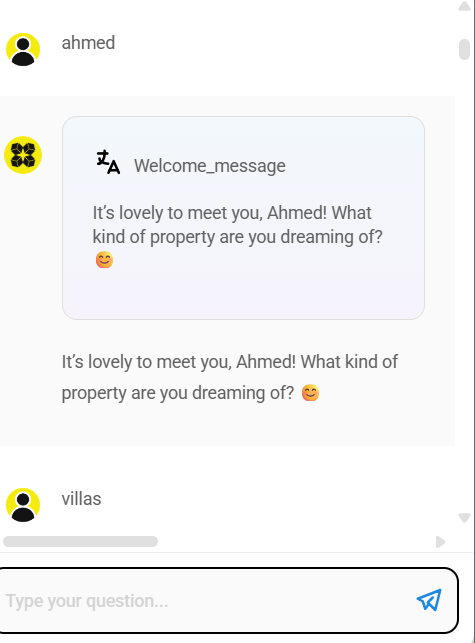
When Allow Image Upload is enabled, images can be uploaded from chat interface.
 (1) (1) (1) (1) (1) (1) (1) (1) (1) (1) (1) (1) (1) (1) (1) (1) (1).png)
{% tabs %} {% tab title="Python API" %}
import requests
API_URL = "http://localhost:3000/api/v1/prediction/<chatflowId>"

def query(payload):
    response = requests.post(API_URL, json=payload)
    return response.json()

output = query({
    "question": "Can you describe the image?",
    "uploads": [
        {
            "data": 'data:image/png;base64,iVBORw0KGgdM2uN0', # base64 string or url
            "type": 'file', # file | url
            "name": 'AiMicroMind.png',
            "mime": 'image/png'
        }
    ]
})
{% endtab %}
{% tab title="Javascript API" %}
async function query(data) {
    const response = await fetch(
        "http://localhost:3000/api/v1/prediction/<chatflowId>",
        {
            method: "POST",
            headers: {
                "Content-Type": "application/json"
            },
            body: JSON.stringify(data)
        }
    );
    const result = await response.json();
    return result;
}

query({
    "question": "Can you describe the image?",
    "uploads": [
        {
            "data": 'data:image/png;base64,iVBORw0KGgdM2uN0', //base64 string or url
            "type": 'file', //file | url
            "name": 'AiMicromind.png',
            "mime": 'image/png'
        }
    ]
}).then((response) => {
    console.log(response);
});
{% endtab %} {% endtabs %}
Speech to Text
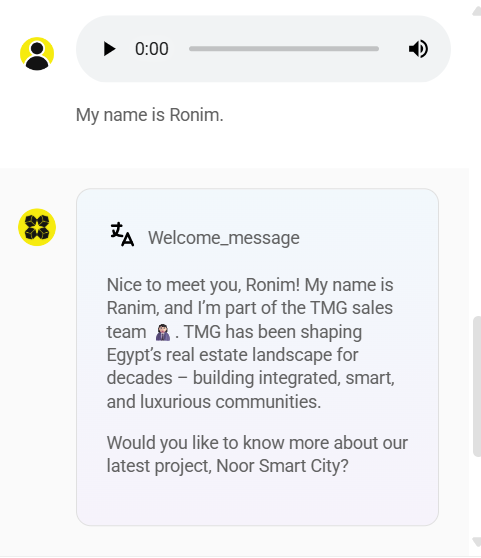
When Speech to Text is enabled, users can speak directly into microphone and speech will be transcribed into text.
 (1) (1) (1) (1) (1) (1) (1) (1) (1) (1) (1) (1) (1) (1) (1) (1).png)
{% tabs %} {% tab title="Python API" %}
import requests
API_URL = "http://localhost:3000/api/v1/prediction/<chatflowId>"

def query(payload):
    response = requests.post(API_URL, json=payload)
    return response.json()

output = query({
    "uploads": [
        {
            "data": 'data:audio/webm;codecs=opus;base64,GkXf', #base64 string
            "type": 'audio',
            "name": 'audio.wav',
            "mime": 'audio/webm'
        }
    ]
})
{% endtab %}
{% tab title="Javascript API" %}
async function query(data) {
    const response = await fetch(
        "http://localhost:3000/api/v1/prediction/<chatflowId>",
        {
            method: "POST",
            headers: {
                "Content-Type": "application/json"
            },
            body: JSON.stringify(data)
        }
    );
    const result = await response.json();
    return result;
}

query({
    "uploads": [
        {
            "data": 'data:audio/webm;codecs=opus;base64,GkXf', //base64 string
            "type": 'audio',
            "name": 'audio.wav',
            "mime": 'audio/webm'
        }
    ]
}).then((response) => {
    console.log(response);
});
{% endtab %} {% endtabs %}
Vector Upsert API
/vector/upsert/{id}
Upsert vector embeddings
Upsert vector embeddings of documents in a chatflow
    <div class="api-params-section"><h4>Path Parameters</h4><table class="api-params-table"><thead><tr><th>Name</th><th>Type</th><th>Required</th><th>Description</th></tr></thead><tbody><tr><td><strong>id</strong></td><td><code>string</code></td><td><span class="req-yes">Yes</span></td><td>Chatflow ID</td></tr></tbody></table></div>
    <div class="api-body-section">
            <div class="api-request-body-section">
                <h4>Request Body (application/json)</h4>
                <div class="api-object-properties">
            <div class="api-property-row" style="margin-left: 0px;">
                <div class="api-property-meta">
                    <span class="api-property-name">stopNodeId</span>
                    <span class="api-property-type">string</span>
                    <span class="api-property-optional">optional</span>
                </div>
                <div class="api-property-desc">In cases when you have multiple vector store nodes, you can specify the node ID to store the vectors</div>
                <div class="api-property-example">Example: <code>"node_1"</code></div>
            </div>

            <div class="api-property-row" style="margin-left: 0px;">
                <div class="api-property-meta">
                    <span class="api-property-name">overrideConfig</span>
                    <span class="api-property-type">object</span>
                    <span class="api-property-optional">optional</span>
                </div>
                <div class="api-property-desc">The configuration to override the default vector upsert settings (optional)</div>

            </div>
        </div>
            </div>
        </div>
    <div class="api-responses-section"><h4>Responses</h4><div class="api-responses-list">
        <div class="api-response-row">
            <span class="api-response-code code-success">200</span>
            <span class="api-response-desc">Vector embeddings upserted successfully</span>
            <div class="api-response-schema-toggle">Schema Detail:</div><div class="api-object-properties">
            <div class="api-property-row" style="margin-left: 0px;">
                <div class="api-property-meta">
                    <span class="api-property-name">numAdded</span>
                    <span class="api-property-type">number</span>
                    <span class="api-property-optional">optional</span>
                </div>
                <div class="api-property-desc">Number of vectors added</div>
                <div class="api-property-example">Example: <code>1</code></div>
            </div>

            <div class="api-property-row" style="margin-left: 0px;">
                <div class="api-property-meta">
                    <span class="api-property-name">numDeleted</span>
                    <span class="api-property-type">number</span>
                    <span class="api-property-optional">optional</span>
                </div>
                <div class="api-property-desc">Number of vectors deleted</div>
                <div class="api-property-example">Example: <code>1</code></div>
            </div>

            <div class="api-property-row" style="margin-left: 0px;">
                <div class="api-property-meta">
                    <span class="api-property-name">numUpdated</span>
                    <span class="api-property-type">number</span>
                    <span class="api-property-optional">optional</span>
                </div>
                <div class="api-property-desc">Number of vectors updated</div>
                <div class="api-property-example">Example: <code>1</code></div>
            </div>

            <div class="api-property-row" style="margin-left: 0px;">
                <div class="api-property-meta">
                    <span class="api-property-name">numSkipped</span>
                    <span class="api-property-type">number</span>
                    <span class="api-property-optional">optional</span>
                </div>
                <div class="api-property-desc">Number of vectors skipped (not added, deleted, or updated)</div>
                <div class="api-property-example">Example: <code>1</code></div>
            </div>

            <div class="api-property-row" style="margin-left: 0px;">
                <div class="api-property-meta">
                    <span class="api-property-name">addedDocs</span>
                    <span class="api-property-type">array</span>
                    <span class="api-property-optional">optional</span>
                </div>


            </div>
        </div>
        </div>

        <div class="api-response-row">
            <span class="api-response-code code-error">400</span>
            <span class="api-response-desc">Invalid input provided</span>

        </div>

        <div class="api-response-row">
            <span class="api-response-code code-error">404</span>
            <span class="api-response-desc">Chatflow not found</span>

        </div>

        <div class="api-response-row">
            <span class="api-response-code code-error">422</span>
            <span class="api-response-desc">Validation error</span>

        </div>

        <div class="api-response-row">
            <span class="api-response-code code-error">500</span>
            <span class="api-response-desc">Internal server error</span>

        </div>
    </div></div>
</div>
Document Loaders with File Upload
Some document loaders in aimicromind allow user to upload files:
 (1) (1) (1) (1) (1) (1) (1) (1) (1) (1) (1) (1) (1) (1) (1) (1) (1) (1).png)
If the flow contains Document Loaders with Upload File functionality, the API looks slightly different. Instead of passing body as JSON, form data is being used. This allows you to send files to the API.
{% hint style="info" %} Make sure the sent file type is compatible with the expected file type from document loader. For example, if a PDF File Loader is being used, you should only send .pdf files.
To avoid having separate loaders for different file types, we recommend to use File Loader {% endhint %}
{% tabs %} {% tab title="Python API" %}
import requests

API_URL = "http://localhost:3000/api/v1/vector/upsert/<chatflowId>"

# use form data to upload files
form_data = {
    "files": ('state_of_the_union.txt', open('state_of_the_union.txt', 'rb'))
}

body_data = {
    "returnSourceDocuments": True
}

def query(form_data):
    response = requests.post(API_URL, files=form_data, data=body_data)
    print(response)
    return response.json()

output = query(form_data)
print(output)
{% endtab %}
{% tab title="Javascript API" %}
// use FormData to upload files
let formData = new FormData();
formData.append("files", input.files[0]);
formData.append("returnSourceDocuments", true);

async function query(formData) {
    const response = await fetch(
        "http://localhost:3000/api/v1/vector/upsert/<chatflowId>",
        {
            method: "POST",
            body: formData
        }
    );
    const result = await response.json();
    return result;
}

query(formData).then((response) => {
    console.log(response);
});
{% endtab %} {% endtabs %}
Document Loaders without Upload
For other Document Loaders nodes without Upload File functionality, the API body is in JSON format similar to Prediction API.
{% tabs %} {% tab title="Python API" %}
import requests

API_URL = "http://localhost:3000/api/v1/vector/upsert/<chatflowId>"

def query(payload):
    response = requests.post(API_URL, json=payload)
    print(response)
    return response.json()

output = query({
    "overrideConfig": { # optional
        "returnSourceDocuments": true
    }
})
print(output)
{% endtab %}
{% tab title="Javascript API" %}
async function query(data) {
    const response = await fetch(
        "http://localhost:3000/api/v1/vector/upsert/<chatflowId>",
        {
            method: "POST",
            headers: {
                "Content-Type": "application/json"
            },
            body: JSON.stringify(data)
        }
    );
    const result = await response.json();
    return result;
}

query({
    "overrideConfig": { // optional
        "returnSourceDocuments": true
    }
}).then((response) => {
    console.log(response);
});
{% endtab %} {% endtabs %}
Document Upsert/Refresh API
Refer to Document Stores section for more information about how to use the API.
/document-store/upsert/{id}
Upsert new document to document store
Upsert new document to document store
    <div class="api-params-section"><h4>Path Parameters</h4><table class="api-params-table"><thead><tr><th>Name</th><th>Type</th><th>Required</th><th>Description</th></tr></thead><tbody><tr><td><strong>id</strong></td><td><code>string</code></td><td><span class="req-yes">Yes</span></td><td>Document store ID</td></tr></tbody></table></div>
    <div class="api-body-section">
            <div class="api-request-body-section">
                <h4>Request Body (application/json)</h4>
                <div class="api-object-properties">
            <div class="api-property-row" style="margin-left: 0px;">
                <div class="api-property-meta">
                    <span class="api-property-name">docId</span>
                    <span class="api-property-type">string</span>
                    <span class="api-property-optional">optional</span>
                </div>
                <div class="api-property-desc">Document ID within the store. If provided, existing configuration from the document will be used for the new document</div>

            </div>

            <div class="api-property-row" style="margin-left: 0px;">
                <div class="api-property-meta">
                    <span class="api-property-name">loader</span>
                    <span class="api-property-type">object</span>
                    <span class="api-property-optional">optional</span>
                </div>


            </div>
        <div class="api-object-properties">
            <div class="api-property-row" style="margin-left: 12px;">
                <div class="api-property-meta">
                    <span class="api-property-name">name</span>
                    <span class="api-property-type">string</span>
                    <span class="api-property-optional">optional</span>
                </div>
                <div class="api-property-desc">Name of the loader (camelCase)</div>
                <div class="api-property-example">Example: <code>"plainText"</code></div>
            </div>

            <div class="api-property-row" style="margin-left: 12px;">
                <div class="api-property-meta">
                    <span class="api-property-name">config</span>
                    <span class="api-property-type">object</span>
                    <span class="api-property-optional">optional</span>
                </div>
                <div class="api-property-desc">Configuration for the loader</div>

            </div>
        </div>
            <div class="api-property-row" style="margin-left: 0px;">
                <div class="api-property-meta">
                    <span class="api-property-name">splitter</span>
                    <span class="api-property-type">object</span>
                    <span class="api-property-optional">optional</span>
                </div>


            </div>
        <div class="api-object-properties">
            <div class="api-property-row" style="margin-left: 12px;">
                <div class="api-property-meta">
                    <span class="api-property-name">name</span>
                    <span class="api-property-type">string</span>
                    <span class="api-property-optional">optional</span>
                </div>
                <div class="api-property-desc">Name of the text splitter (camelCase)</div>
                <div class="api-property-example">Example: <code>"recursiveCharacterTextSplitter"</code></div>
            </div>

            <div class="api-property-row" style="margin-left: 12px;">
                <div class="api-property-meta">
                    <span class="api-property-name">config</span>
                    <span class="api-property-type">object</span>
                    <span class="api-property-optional">optional</span>
                </div>
                <div class="api-property-desc">Configuration for the text splitter</div>

            </div>
        </div>
            <div class="api-property-row" style="margin-left: 0px;">
                <div class="api-property-meta">
                    <span class="api-property-name">embedding</span>
                    <span class="api-property-type">object</span>
                    <span class="api-property-optional">optional</span>
                </div>


            </div>
        <div class="api-object-properties">
            <div class="api-property-row" style="margin-left: 12px;">
                <div class="api-property-meta">
                    <span class="api-property-name">name</span>
                    <span class="api-property-type">string</span>
                    <span class="api-property-optional">optional</span>
                </div>
                <div class="api-property-desc">Name of the embedding generator (camelCase)</div>
                <div class="api-property-example">Example: <code>"openAIEmbeddings"</code></div>
            </div>

            <div class="api-property-row" style="margin-left: 12px;">
                <div class="api-property-meta">
                    <span class="api-property-name">config</span>
                    <span class="api-property-type">object</span>
                    <span class="api-property-optional">optional</span>
                </div>
                <div class="api-property-desc">Configuration for the embedding generator</div>

            </div>
        </div>
            <div class="api-property-row" style="margin-left: 0px;">
                <div class="api-property-meta">
                    <span class="api-property-name">vectorStore</span>
                    <span class="api-property-type">object</span>
                    <span class="api-property-optional">optional</span>
                </div>


            </div>
        <div class="api-object-properties">
            <div class="api-property-row" style="margin-left: 12px;">
                <div class="api-property-meta">
                    <span class="api-property-name">name</span>
                    <span class="api-property-type">string</span>
                    <span class="api-property-optional">optional</span>
                </div>
                <div class="api-property-desc">Name of the vector store (camelCase)</div>
                <div class="api-property-example">Example: <code>"faiss"</code></div>
            </div>

            <div class="api-property-row" style="margin-left: 12px;">
                <div class="api-property-meta">
                    <span class="api-property-name">config</span>
                    <span class="api-property-type">object</span>
                    <span class="api-property-optional">optional</span>
                </div>
                <div class="api-property-desc">Configuration for the vector store</div>

            </div>
        </div>
            <div class="api-property-row" style="margin-left: 0px;">
                <div class="api-property-meta">
                    <span class="api-property-name">recordManager</span>
                    <span class="api-property-type">object</span>
                    <span class="api-property-optional">optional</span>
                </div>


            </div>
        <div class="api-object-properties">
            <div class="api-property-row" style="margin-left: 12px;">
                <div class="api-property-meta">
                    <span class="api-property-name">name</span>
                    <span class="api-property-type">string</span>
                    <span class="api-property-optional">optional</span>
                </div>
                <div class="api-property-desc">Name of the record manager (camelCase)</div>
                <div class="api-property-example">Example: <code>"postgresRecordManager"</code></div>
            </div>

            <div class="api-property-row" style="margin-left: 12px;">
                <div class="api-property-meta">
                    <span class="api-property-name">config</span>
                    <span class="api-property-type">object</span>
                    <span class="api-property-optional">optional</span>
                </div>
                <div class="api-property-desc">Configuration for the record manager</div>

            </div>
        </div></div>
            </div>
        </div>
    <div class="api-responses-section"><h4>Responses</h4><div class="api-responses-list">
        <div class="api-response-row">
            <span class="api-response-code code-success">200</span>
            <span class="api-response-desc">Successfully execute upsert operation</span>
            <div class="api-response-schema-toggle">Schema Detail:</div><div class="api-object-properties">
            <div class="api-property-row" style="margin-left: 0px;">
                <div class="api-property-meta">
                    <span class="api-property-name">numAdded</span>
                    <span class="api-property-type">number</span>
                    <span class="api-property-optional">optional</span>
                </div>
                <div class="api-property-desc">Number of vectors added</div>
                <div class="api-property-example">Example: <code>1</code></div>
            </div>

            <div class="api-property-row" style="margin-left: 0px;">
                <div class="api-property-meta">
                    <span class="api-property-name">numDeleted</span>
                    <span class="api-property-type">number</span>
                    <span class="api-property-optional">optional</span>
                </div>
                <div class="api-property-desc">Number of vectors deleted</div>
                <div class="api-property-example">Example: <code>1</code></div>
            </div>

            <div class="api-property-row" style="margin-left: 0px;">
                <div class="api-property-meta">
                    <span class="api-property-name">numUpdated</span>
                    <span class="api-property-type">number</span>
                    <span class="api-property-optional">optional</span>
                </div>
                <div class="api-property-desc">Number of vectors updated</div>
                <div class="api-property-example">Example: <code>1</code></div>
            </div>

            <div class="api-property-row" style="margin-left: 0px;">
                <div class="api-property-meta">
                    <span class="api-property-name">numSkipped</span>
                    <span class="api-property-type">number</span>
                    <span class="api-property-optional">optional</span>
                </div>
                <div class="api-property-desc">Number of vectors skipped (not added, deleted, or updated)</div>
                <div class="api-property-example">Example: <code>1</code></div>
            </div>

            <div class="api-property-row" style="margin-left: 0px;">
                <div class="api-property-meta">
                    <span class="api-property-name">addedDocs</span>
                    <span class="api-property-type">array</span>
                    <span class="api-property-optional">optional</span>
                </div>


            </div>
        </div>
        </div>

        <div class="api-response-row">
            <span class="api-response-code code-error">400</span>
            <span class="api-response-desc">Invalid request body</span>

        </div>

        <div class="api-response-row">
            <span class="api-response-code code-error">500</span>
            <span class="api-response-desc">Internal server error</span>

        </div>
    </div></div>
</div>
/document-store/refresh/{id}
Re-process and upsert all documents in document store
Re-process and upsert all existing documents in document store
    <div class="api-params-section"><h4>Path Parameters</h4><table class="api-params-table"><thead><tr><th>Name</th><th>Type</th><th>Required</th><th>Description</th></tr></thead><tbody><tr><td><strong>id</strong></td><td><code>string</code></td><td><span class="req-yes">Yes</span></td><td>Document store ID</td></tr></tbody></table></div>
    <div class="api-body-section">
            <div class="api-request-body-section">
                <h4>Request Body (application/json)</h4>
                <div class="api-object-properties">
            <div class="api-property-row" style="margin-left: 0px;">
                <div class="api-property-meta">
                    <span class="api-property-name">items</span>
                    <span class="api-property-type">array</span>
                    <span class="api-property-optional">optional</span>
                </div>


            </div>
        </div>
            </div>
        </div>
    <div class="api-responses-section"><h4>Responses</h4><div class="api-responses-list">
        <div class="api-response-row">
            <span class="api-response-code code-success">200</span>
            <span class="api-response-desc">Successfully execute refresh operation</span>

        </div>

        <div class="api-response-row">
            <span class="api-response-code code-error">400</span>
            <span class="api-response-desc">Invalid request body</span>

        </div>

        <div class="api-response-row">
            <span class="api-response-code code-error">500</span>
            <span class="api-response-desc">Internal server error</span>

        </div>
    </div></div>
</div>
Video Tutorials (Coming soon)
Those video tutorials (coming soon) cover the main use cases for implementing the aimicromindAPI.