description: Learn how to analyze and troubleshoot your chatflows and agentflows
Analytic
There are several analytic providers aimicromind integrates with:
Setup
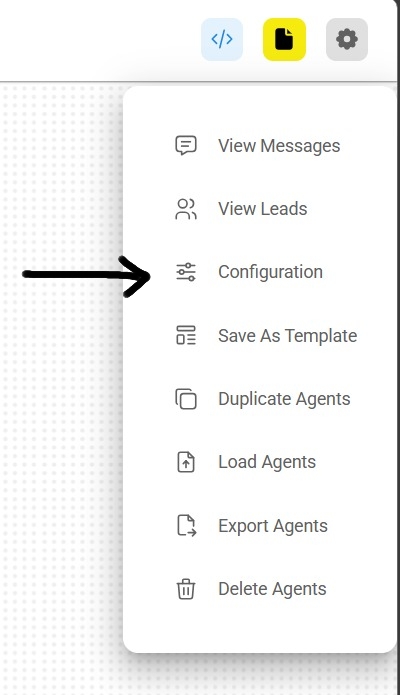
- At the top right corner of your Chatflow or Agentflow, click Settings > Configuration
- Then go to the Analyse Chatflow section
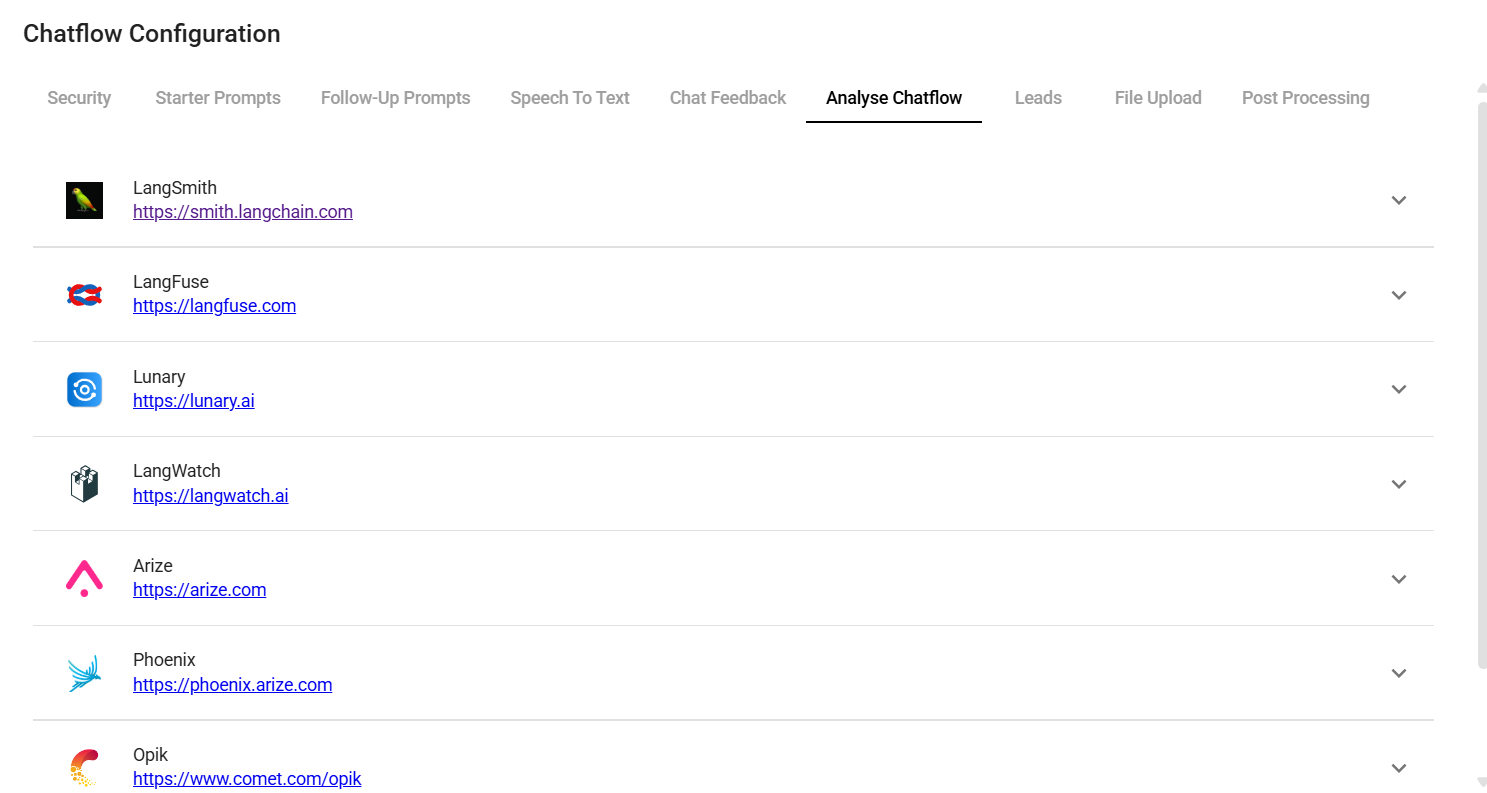
- You will see a list of providers, along with their configuration fields
.png)
- Fill in the credentials and other configuration details, then turn the provider ON. Click Save.
.png)
API
Once the analytic has been turned ON from the UI, you can override or provide additional configuration in the body of the Prediction API:
{
  "question": "hi there",
  "overrideConfig": {
    "analytics": {
      "langFuse": {
        // langSmith, langFuse, lunary, langWatch, opik
        "userId": "user1"
      }
    }
  }
}