description: >- Generate multiple queries from different perspectives for a given user input query.
Multi Query Retriever
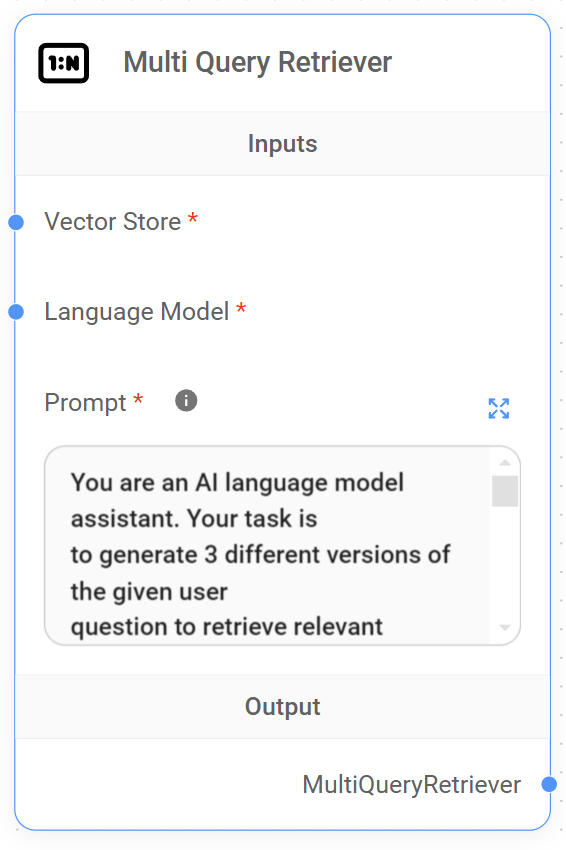
Multi Query Retriever Node
The Multi Query Retriever is a specialized retriever that generates multiple queries from different perspectives for a given user input query. This approach helps overcome some limitations of distance-based similarity search in vector databases.
Input Parameters
-
Vector Store
-
Label: Vector Store
-
Name: vectorStore
-
Type: VectorStore
-
Description: The vector store to be used for document retrieval.
-
-
Language Model
-
Label: Language Model
-
Name: model
-
Type: BaseLanguageModel
-
Description: The language model used to generate alternative questions.
-
-
Prompt
-
Label: Prompt
-
Name: modelPrompt
-
Type: string
-
Description: The prompt template for the language model to generate alternative questions. Use {question} to refer to the original question.
-
Default: A predefined prompt that instructs the AI to generate 3 different versions of the given user question.
-
Functionality
-
The node initializes with the provided vector store, language model, and prompt template.
-
When executed, it takes the user’s input query and uses the language model to generate multiple alternative questions based on the prompt.
-
These alternative questions are then used to query the vector store, potentially retrieving a more diverse and comprehensive set of relevant documents.
Usage
This retriever is particularly useful in scenarios where:
-
The user's initial query might not capture all aspects of their information need.
-
The desired information could be expressed in various ways in the document collection.
-
A broader exploration of the topic is beneficial.
Output
The node returns a MultiQueryRetriever instance, which can be used to retrieve documents based on the original query and its generated alternatives.
{% hint style="info" %} This section is a work in progress. We appreciate any help you can provide in completing this section. Please check our Contribution Guide to get started. {% endhint %}